Zone heatmaps
Track which regions of your world players actually visit.
Zones let you track entries, exits, and dwell time for named regions of your world — spawn areas, rooms, VIP sections, boss arenas, whatever makes sense. Each zone is a BoxCollider you name in Unity; the beacon reports enter/exit events server-side.
Setup
- In Unity, run
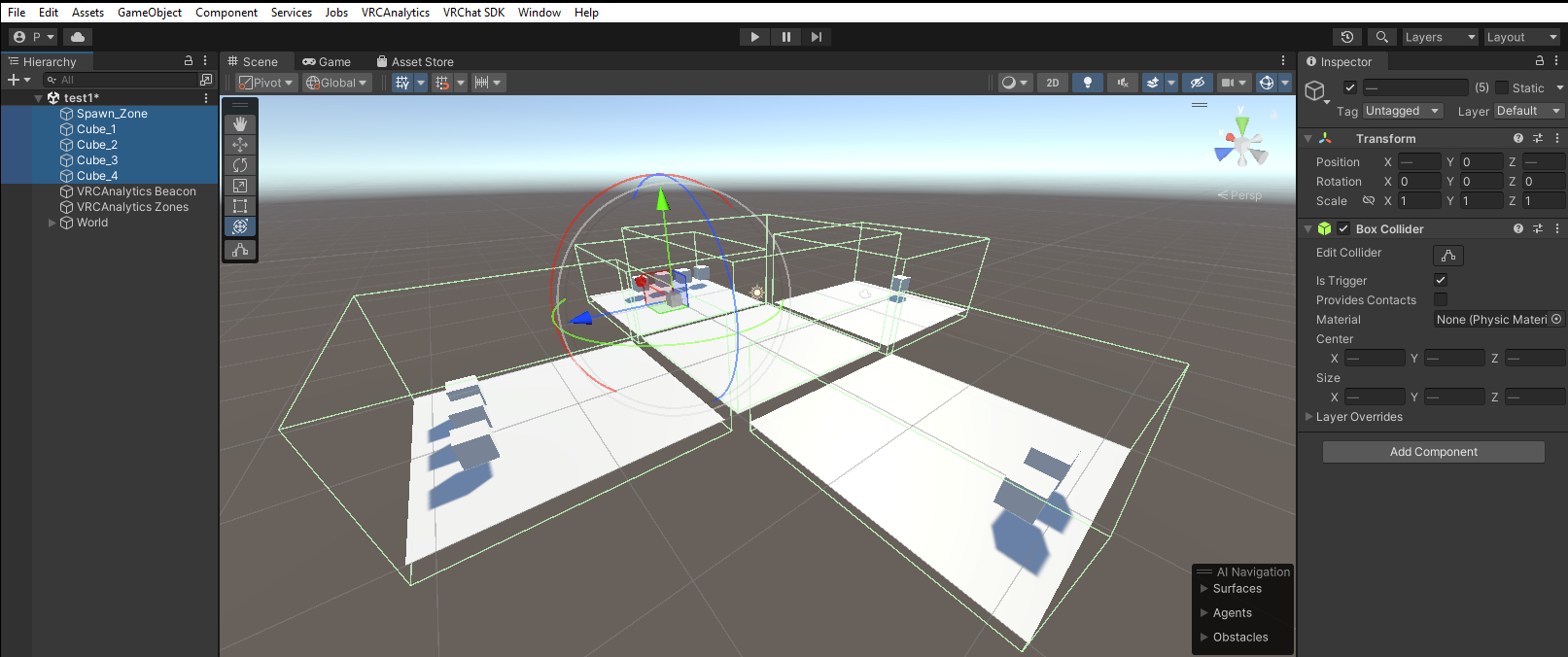
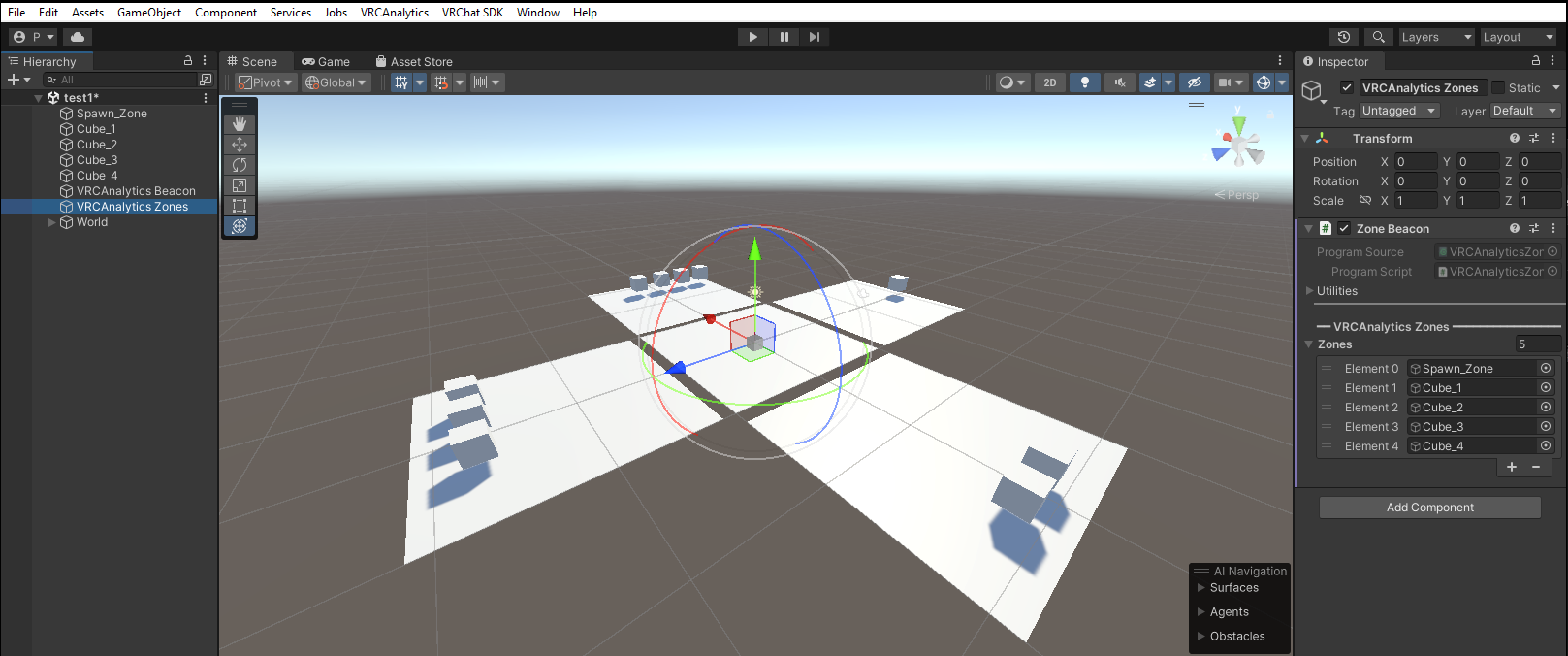
VRCAnalytics → Add Zone Heatmap. This creates aVRCAnalytics Zonesempty GameObject in your scene. - Create empty child GameObjects under it — one per zone. Give each a descriptive name (the name is the zone ID in analytics).
- Add a
BoxColliderto each child and shape it to cover the region. - Select the
VRCAnalytics Zonesparent. Drag each child into theZonesarray on itsVRCAnalyticsZoneBeaconcomponent. - Click Build & Publish. The build hook auto-sets
Is Trigger = trueon each collider and pre-bakes per-zone URLs.
How detection works
The zone beacon polls the local player's position ~12 times per second and checks each zone collider via Bounds.Contains(playerPosition). Transitions (inside → outside or vice versa) fire a zone_enter or zone_exit event. No event fires while the player stays inside a zone.
Axis-aligned boxes work best
bounds (axis-aligned), rotated BoxColliders will detect slightly outside their visual corners. For most worlds — rectangular rooms aligned to world axes — this is imperceptible. If you need precise shapes, keep your box rotation at 0 or split large rooms into multiple axis-aligned zones.Overlapping zones
Zones are allowed to overlap. A player inside two overlapping colliders counts toward both, which is intentional — lets you model nested areas or tagged regions:
- Nested:
first_floorcontainslobby,hallway,bathroom. A player in the lobby is also on the first floor. Both metrics are meaningful. - Tagged:
vip_sectionoverlappingmain_stagelets you count "VIP attendees who watched the show" as the overlap.
If you want zones to be mutually exclusive, just keep the colliders from touching. The summed currently_in across overlapping zones can exceed the world's total online count — this is expected.
Session-aware "online now"
The "Online now" column uses zone_enter events within the last 15 minutes, filtered to sessions that haven't sent a leave event yet. When a player disconnects from VRChat (normal leave), their zone presence clears immediately. If a player crashes and no leave event fires, their zone state ages out after 15 minutes.
Limits
- Free plan: 2 zones per world
- Pro plan: 10 zones per world
- Pro+ plan: 20 zones per world
Plans aren't live yet